
Black Friday Week30% off everythingEnds in 7 daysShop now →
Imagonarium

Eucalyptus Wedding Invitation Website with RSVP, Meal Choices & Gift Wishlist

Upload your guest list, send every household its own link: replies, meals, a gift wishlist and their photos of the day

€34.30€49.00−30%

🖤 Black Friday Week — until 1 December

Make your invitation · €34.30

Your names, day, venues and order of the day · Save the date, replies, meals and wishlist · Guests' photos of the day

  1. Startnames and date: the rest later
  2. Paysecure checkout
  3. Sendone link to every guest
  4. Repliesthen guests' photos

A digital file — nothing is posted, nothing to wait for.

Your own wedding page, from the save the date to the photos

Start with just your names and the date. Everything else, from the order of the day and the venues to the wishlist and your guest list, you can add any time after buying, on your own wedding page, right up to the big day.

Upload your guest list as a spreadsheet and every household gets its own link, sent by WhatsApp or email in one tap, the message already written. Each household answers for everyone in it: who’s coming, their dinner, any allergies and your own questions. Reminders go to those who haven’t answered by themselves, if you like, and guests hear about a change of plans in one tap. Meals are counted for you, the seating plan fills itself in a household at a time, the wishlist keeps gifts from coming twice, and on the day guests send you their photos in full quality. Afterwards, a thank-you note is ready for every household. For guests from two countries, it can be in two languages, with a switch at the top. No app, no sign-up for guests, no ads.

Yours to download: the replies and your guest list with every link as spreadsheets, every guest photo as a ZIP, and print-ready cards in US or DIN A sizes: save the date, invitation, place cards with each guest’s table, table numbers, a seating chart poster and a thank-you card.

Guests can answer until the wedding. You keep your guest list until 90 days after it; then the invitation and every answer are deleted for good.

Already bought one and lost the link to your page? Get it again by email.

  • Start with your names and the date, add the rest any time until the wedding
  • Upload your guest list as a spreadsheet: every household gets its own link
  • Send by WhatsApp or email in one tap; reminders to those who haven't answered go by themselves
  • Each household replies for everyone in it: who's coming, dinner, allergies and your own questions
  • Meals counted for the caterer · replies and guest list download as spreadsheets
  • A seating plan that fills itself, with place cards and a seating chart to print
  • A gift wishlist where nothing comes twice, and thank-you notes ready for every household
  • Maps of your venues and places to stay; change the plans and guests are told in one tap
  • On the day, guests send you their photos in full quality, downloaded as a ZIP
  • Print-ready cards in US or DIN A sizes · plan it together with your partner · no app or ads
Start with just your names and the date: buying gives you your own wedding page, and you add everything else there whenever you're ready, right up to the big day. See it all first in the demo: imagonarium.com/wedding/demo Your whole wedding on one link, from the save the date to the thank-you notes. Your names in a eucalyptus wreath, a countdown to the ceremony, the order of the day, your venues and places to stay on their own little maps, the dress code, an RSVP for every guest with dinner choices and allergies, your own questions (the shuttle bus, the children, the night before), and a gift wishlist so nothing comes twice. Bring your guest list as a spreadsheet: download the template, fill it in in Excel, Numbers or Google Sheets, upload it, and every household gets its own personal link that already knows its guests' names, with a +1 only where you allow one. Add a phone number or an email, and each invitation opens straight in that guest's WhatsApp chat or in your email, already written: one tap each. Or send one link to everyone in a group chat. Each household replies for everyone in it, and you see every answer on your own page: meals counted for the caterer, allergies listed, songs for the dance floor, your questions counted, and who still hasn't answered. Switch on reminders and those with an email get a friendly one in your names, a week before your reply date and again two days before. Change the time or a venue later, and your page offers to tell every guest in one tap. Then the seating plan: make your tables and seat everyone with two taps, or let the page fill the tables for you, keeping each household together. Place cards show each guest's table, there's a seating chart poster for the entrance, and each household can see its own table on its invitation. On the wedding day, guests send you the photos they take, in full quality, straight from their phones. Afterwards, your page lists everyone to thank, with what to thank them for (they came, the gift they chose, the photos they shared) and a note ready for each. Everything is yours to download: · the replies as a spreadsheet for your caterer: meals, allergies, tables, your questions · your guest list with every personal link, for a mail merge or to keep · every guest photo as a ZIP, in folders by guest · print-ready cards at 300 DPI, in US or DIN A sizes: the save the date and the invitation with their QR codes, a place card for every guest who said yes (with their dinner and table), table numbers, a seating chart poster, a photo card for each table and a thank-you card Share the page with your partner and plan it together. No app and no sign-up for guests, and no ads. Change the details any time until the wedding.

Make your invitation

Your names and the day are all you need to buy. Add the rest now, or later on your own wedding page: it’s yours to change until the wedding. Everything saves as you type. Curious first? Try the demo invitation and the couple’s page.

E&J

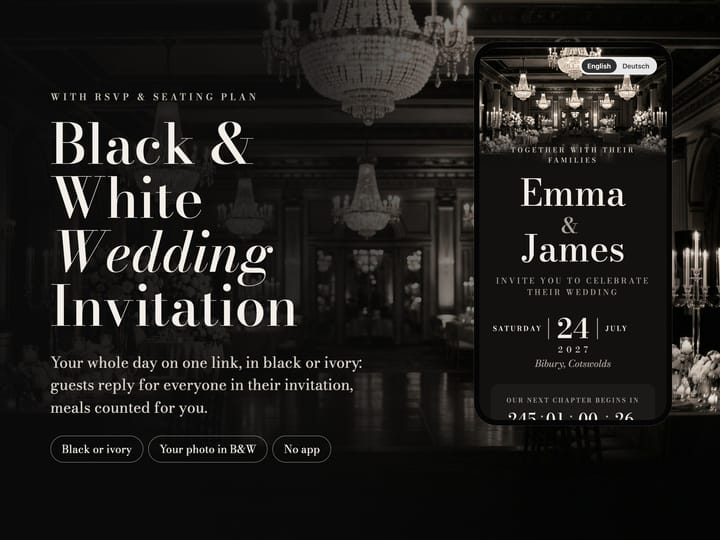
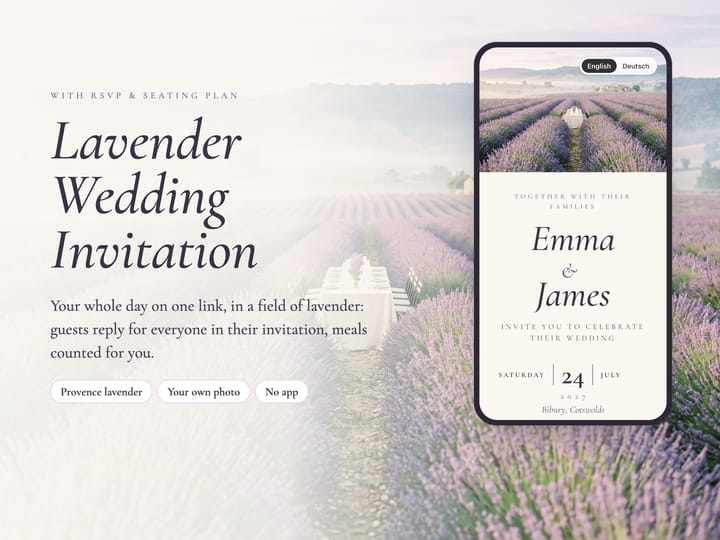
Together with their families

Emma & James

invite you to celebrate their wedding

Your wedding day

Will you join us?

This is your preview. Guests can answer once the invitation is paid for.

the couple · Invitation made with Imagonarium

How guests see it · scroll inside the phone

You two, and the day

First names read best: their first letters go in the wreath.

The countdown on the invitation runs to the ceremony.

Your photo (optional)

Shown in an arch under your names. A portrait photo suits it best.

That’s all you need to buy

Then, on your own wedding page, whenever you’re ready, right up to the big day:

  • Upload your guest list: every household gets its own link
  • Send by WhatsApp or email in one tap, already written
  • The order of the day, venues and places to stay, with maps
  • In two languages if you like, with a switch for guests
  • Your gift wishlist
  • Replies, meals and allergies counted, plus your own questions
  • Reminders to those who haven't answered, sent for you
  • A seating plan that fills itself, a household at a time
  • Cards to print: save the date, invitation, place cards, seating chart
  • Guests' photos of the day, as a ZIP
  • Thank-you notes ready for every household
  • Plan it together: share the page with your partner
See it all on the demo couple’s page ↗

Bought, it’s your own wedding page, saved for good: change anything there any time until the wedding, and send the save the date and the invitation when you’re ready.

Questions

Do I need everything ready before buying?
No. Your names and the date are all you need. Buying gives you your own wedding page, and you fill in the rest there whenever you're ready: the order of the day, the venues, the dress code, the wishlist, your guest list. Send the save the date first and the full invitation later, or both at once. Nothing reaches your guests until you send them the link, and we'll remind you by email if parts are still empty.
How does it work?
Write your names and the date here and buy. You get your own wedding page, where you add the rest whenever you're ready: the order of the day, the venues and places to stay, the dress code, dinner choices, a wishlist and your guest list. Send the save the date and the invitation by WhatsApp, message or email, or print them. Guests open it on their phone and reply for everyone in their household, and you see every answer on your page. The demo shows it all, filled in.
Can each family get its own link?
Yes. Upload your guest list as a spreadsheet (there's a template to fill in) or paste it a household a line, and each household gets its own link that already knows its guests' names, with a +1 only where you allow one. Add a phone number or email and its invitation opens straight in that guest's WhatsApp chat or in your email, already written. You see at a glance who hasn't answered, with a reminder ready for them, and can download the whole list with every link, for a mail merge. Or send one link to everyone, in a group chat say: guests write their name as it's on your list and their own invitation opens. Without a list, guests write their own names.
How many guests can we invite?
Plenty, even for a big wedding: up to 300 households, each with its own link and up to 8 guests (a +1 included), so 600 to 900 guests is no problem. Sending one open link instead, up to 400 households can reply. On the day, the photo album holds up to 3,000 photos from your guests.
What do guests see first?
A sealed envelope with your initials pressed into its wax seal, addressed to their household. They tap it, the invitation rises out with a few petals, and there's your day: your names, your photo if you add one, the countdown, the order of the day and the rest.
What do guests reply?
Each household writes the name of everyone in its invitation and whether each can come, with their dinner choice if you offer one, any allergies or dietary needs, a song for the dance floor if you ask, and a note for you. Add up to 5 questions of your own too ("Will you need the shuttle bus?", "Are you bringing children?"): yes or no, a choice, or a few words, all counted for you. They can change their answer later from the same phone. Guests never see each other's answers.
How does the wishlist work?
Add the gifts you'd love, with a link to the shop if you like, and how many of each. A guest taps "I'll give this" and it's marked as given for everyone else, so nothing comes twice. Only you see who chose what, for the thank-you cards. Prefer no gifts or a honeymoon fund? Write just a few words instead.
Do guests need an app or an account?
No. It opens in any phone's browser straight from WhatsApp, Messages or email. No sign-up, no app and no ads.
Can guests share their photos of the day?
Yes. From the wedding morning, guests send you the photos they take, in full quality, straight from their phones: from the invitation, or by scanning the table card with its QR code that you print for each table. Only you see them. Each guest can share up to 30 by default (you choose from 10 to 100), and the album stays open for 3 days after the wedding (you choose 1 to 7). Then you get an email to download every photo as a ZIP, in folders by guest. The photos are kept 30 days after the album closes, then deleted for good.
Is there a save the date?
Yes, it comes with it: a page with your names, the date, a countdown, add to calendar and "formal invitation to follow", to send months ahead, and the same as a card to print with a QR code.
How do the venue maps work?
Find each place on the map as you fill in the invitation, and its streets are drawn in the invitation's colours with a heart on the spot. Guests tap it to open directions in their own maps app: Apple Maps on an iPhone, Google Maps everywhere else. Add hotels or B&Bs near you too: they appear with a small bed on one map with your venues, so guests see how close everything is, each with your note and a booking link.
Will you tell us how the replies are going?
Yes: an email once a week when new replies have come in (or every day, or never, as you choose), a reminder a week before your reply date with a message ready to send to those who haven't answered, and the final numbers for your caterer the day after it.
Can it remind guests who haven't replied?
Yes, if you switch it on: households on your guest list with an email who haven't answered get a friendly reminder in your names, 7 days before your reply date and again 2 days before, each with their own link. Those with only a phone number have a reminder ready to send in WhatsApp with one tap.
Is there a seating plan?
Yes. Make your tables (name them and set how many sit at each), then seat everyone with two taps, or tap "Seat everyone for me" and the page fills the tables for you, keeping each household together. Your place cards then show each guest's table, there's a seating chart poster for the entrance (by table or A to Z, 18 × 24 in or A2), and when you're ready, each household sees its own table on its invitation.
What if our plans change after the invitations go out?
Change the time, the date or a venue on your page and it tells you, with what changed, and offers to email every household on your list with an email in one tap (each with its own link), or a message ready for WhatsApp. The invitation itself is up to date straight away.
Does it help with the thank-you notes?
Yes. After the day your page lists everyone to thank with what to thank them for (that they came, the gift they chose from your wishlist, the photos they shared) and a note ready for each, by first name, to send by WhatsApp or email in a tap or copy onto a card. Tick them off as you go. There's a thank-you card to print too.
Can the invitation be in two languages?
Yes. Choose the language you write in and a second one (English, German, French, Spanish, Italian, Portuguese, Dutch, Polish, Czech or Slovak). Guests get a switch at the top of the invitation and start in their own phone's language. Everything on the page is translated already; for your own words (the welcome, the order of the day, notes and gifts), one tap translates them all for you, and you can change any of them. Reminders and messages go out in both languages, and the cards to print come in whichever of the two you choose.
Can we both manage it?
Yes. Send your wedding page to your partner with one tap from the top of it, and you can both add guests, change the details and see every reply.
Can I give the caterer the numbers?
Yes. Your page counts the dinners and lists every allergy and dietary need, and the whole guest list downloads as a spreadsheet for the caterer, with each guest's table and the answers to your own questions.
How do I know who hasn't answered?
Tell us how many guests you're inviting, and your page shows how many are still to answer.
What can I download?
From your own page, any time: the replies as a spreadsheet for your caterer (who's coming, meals, allergies, songs), your guest list with every household's personal link (ready for a mail merge in Gmail or Word), every guest photo as a ZIP in folders by guest, and print-ready cards at 300 DPI in US (5 × 7 in, Letter) or DIN A (A5, A4) sizes: the save the date and the invitation with their QR codes, a place card for every guest who said yes with their dinner and table on it, table numbers, a photo card for each table and a thank-you card, plus the seating chart poster (18 × 24 in or A2).
Can I change the details after sending it?
Yes, until the wedding: the times, the venues, the dress code, the wishlist. Guests see the change the next time they open the link, so nobody needs a new invitation.
How long does it all work?
Guests can open the invitation and reply until the wedding. You can see every answer and change the details until then, and keep your guest list for 90 days after the wedding. Then the invitation, every answer and the wishlist are deleted for good. Your email and your download page give you the exact date.
I lost the link to my wedding page. What now?
Go to imagonarium.com/wedding/find and write the email you bought with: we send your links again straight away, your own page and the one for your guests. They only ever go to that address, so nobody else can get into your page.
What do I get after paying?
Your own wedding page, straight away and by email, where you fill in the rest of your day, send the save the date and your guests' links, and see every answer. Upload your guest list there and each household gets its own link; everything on the page is yours to download (see "What can I download?").
When do I get my files?
Straight away. After paying you land on your download page, and the receipt email links to it too. The link stays open for 30 days (for a gift, 30 days from the day it's delivered), so download your files and keep them safe. If you need them again later, just write to us.
Is anything posted to me?
No — these are digital files. You print them yourself at home or at a print shop, so there's no shipping and no waiting.
Can I give it as a gift?
Yes. In the cart, tick “Send it as a gift”: we email it to them with your message, on the day you choose. You get the download link as well.
What if something is wrong with a file?
Write to us and we’ll fix it or send a corrected file — and if we can’t, you get a full refund. See Refunds.

Something else? Ask us.

You may also like